Ad spend kept growing every month, but new accounts didn’t keep up
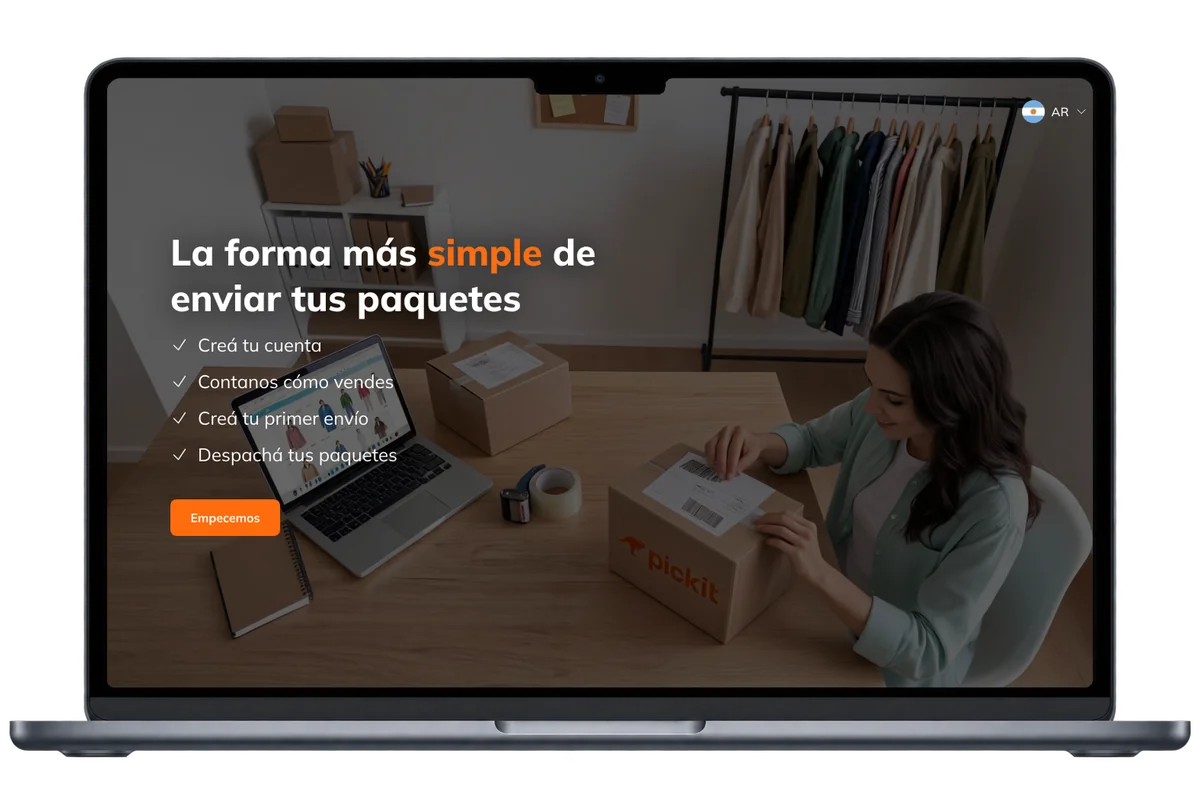
A logistics company offers shipping to small businesses: entrepreneurs who sell on social media and stores with a street-front shop. They arrive from ads on Google, Facebook and Instagram, and to find out how much a shipment costs, they first have to create an account.
Ad spend was growing, but new accounts weren’t growing at the same pace. From April to May 2026, spend went up 54% and new accounts only 25%.
Nobody asked me to review the sign-up: I tested it on four screens
The sign-up had been redesigned recently and no team owned it. I tested it on my own on a 26" monitor, a 14" laptop, a tablet and a phone. On the laptop, the main buttons weren’t visible without zooming out. On the tablet it didn’t work at all, and it could only be completed on a computer, even though the ads ran on social media.
I completed the diagnosis with a heuristic evaluation I ran with Claude. I took three findings from it into the solution and left copy optimization out of scope so I wouldn’t miss the deadline.
I put together a presentation with what I had found and proposed the redesign. The sign-up moved to my team, on one condition: have the solution ready in 10 days.
The address was requested at step 8 of 9
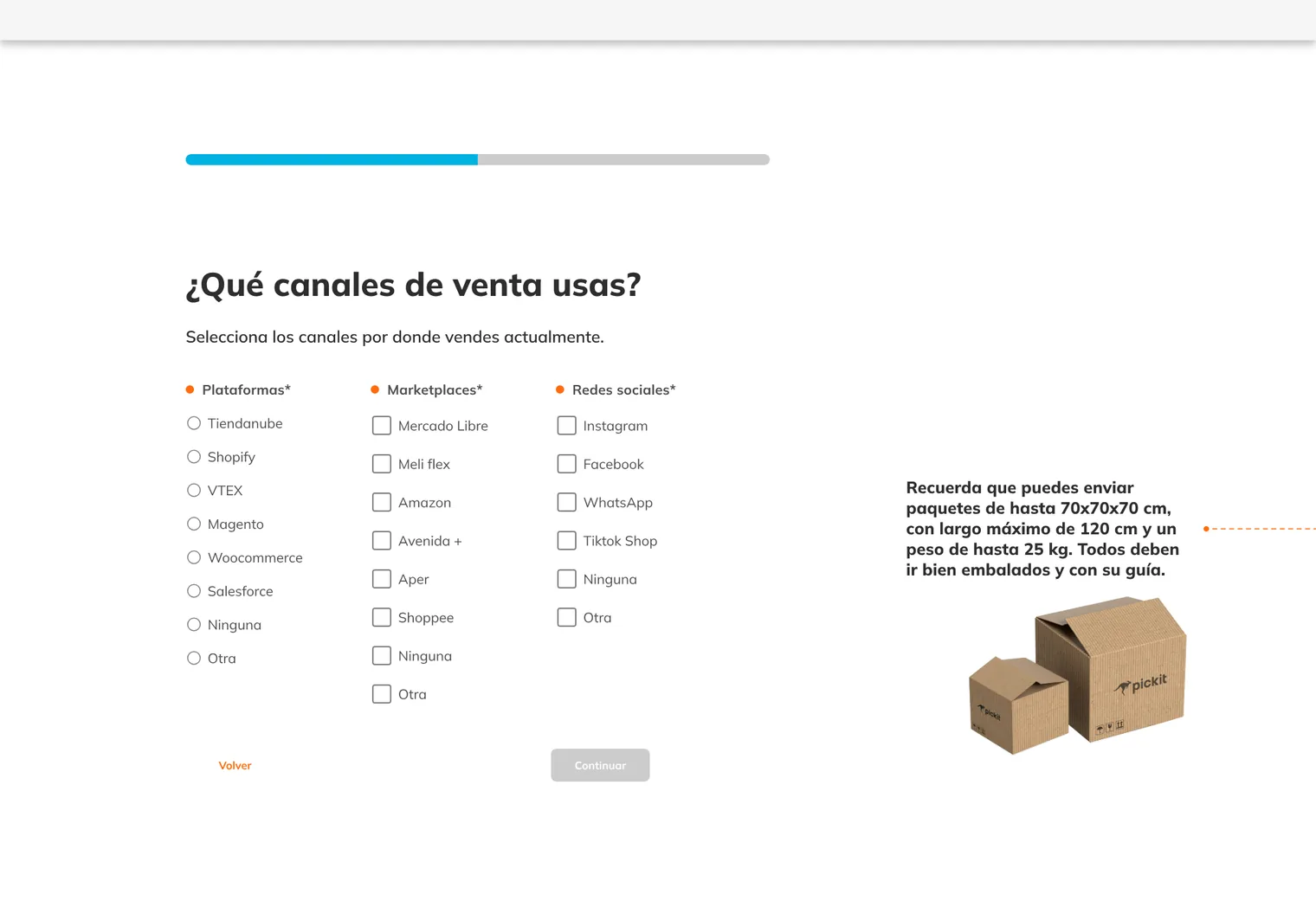
It was the most serious problem. Before reaching the address, a business entered its name, email, phone, store, sales channels, shipping volume and tax ID, and only then found out that we didn’t deliver in its area.
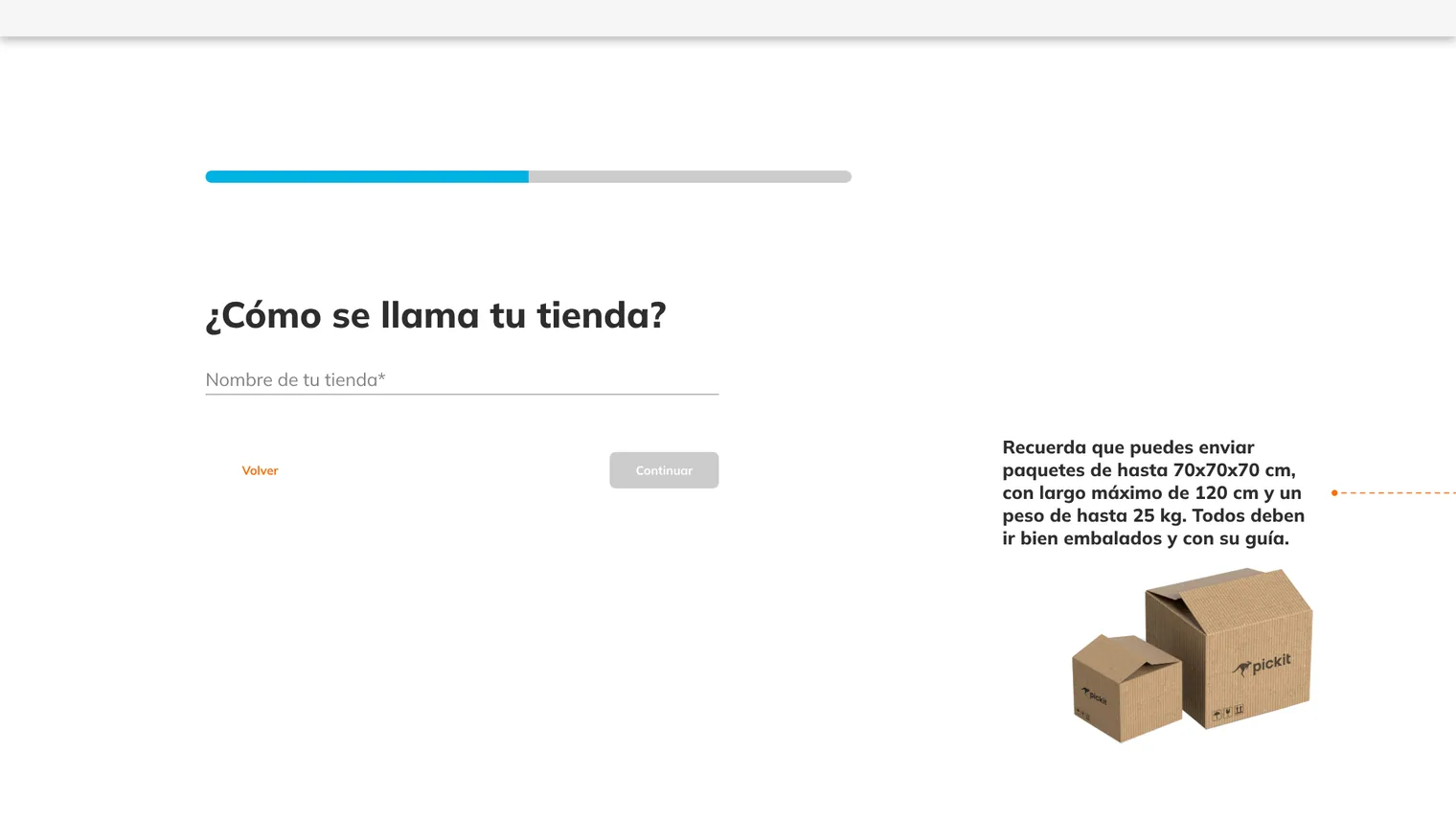
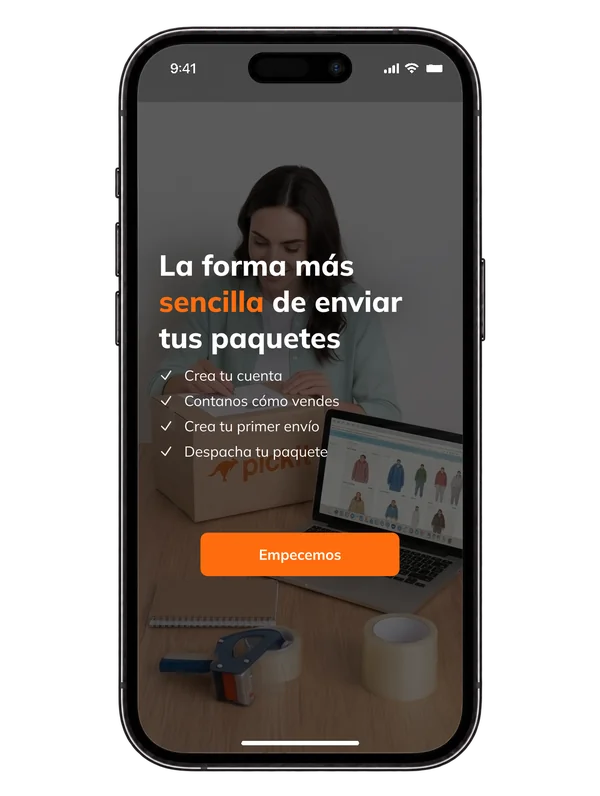
Two other problems were in plain sight. Each screen had an illustration and side text unrelated to the information being requested, and the progress bar didn’t show how many steps were left. With 9 single-question screens, the sign-up felt endless.
The ideal solution didn’t fit in 10 days, so I worked on the order
I considered two alternatives. Putting everything on a single scrolling screen made the form too long. Asking for the minimum and completing the profile later was ideal, but the system needed certain data to create the account and there was no time to change the back end.
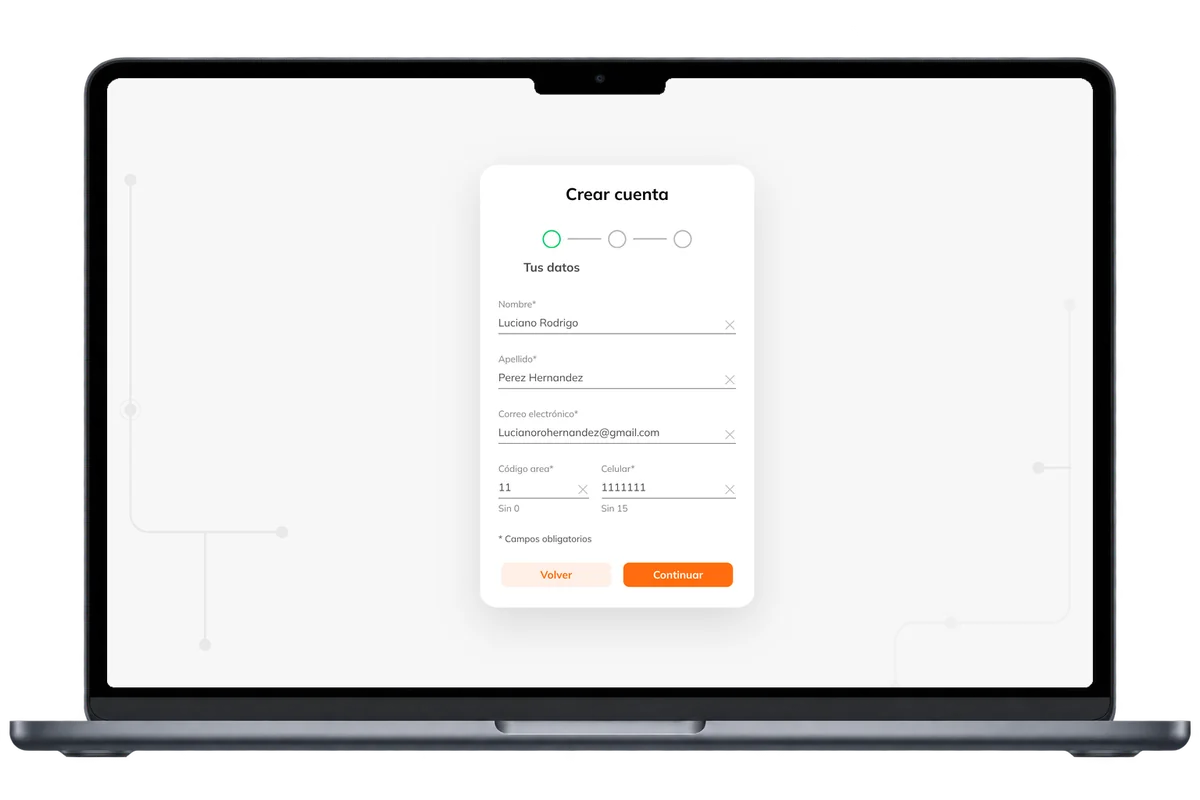
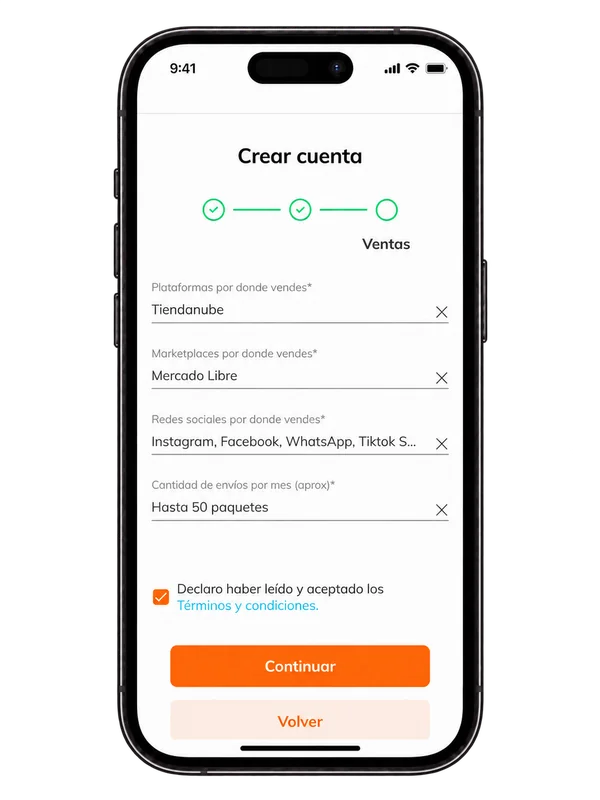
So I focused on what to ask for and in what order. Together with the PM we defined 3 steps, and I proposed how to group the information in each one:
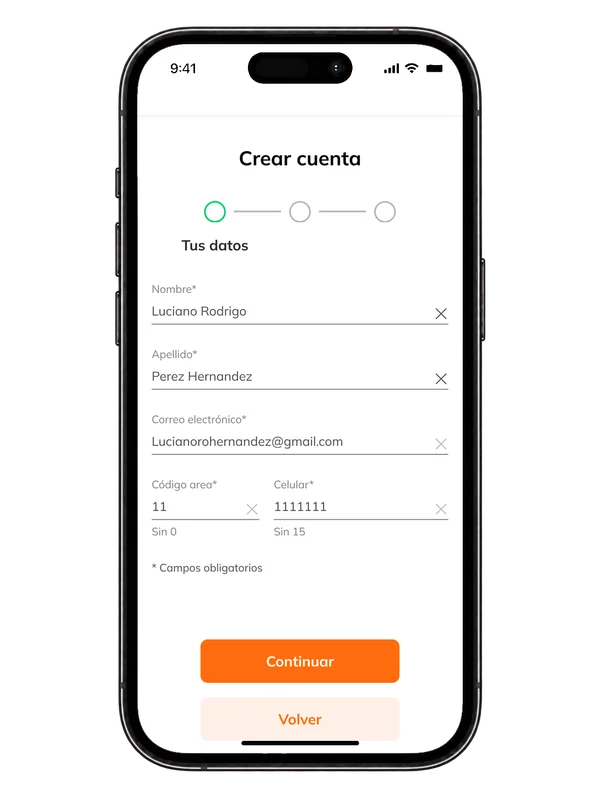
- 1. Your details: contact info first, so we don’t lose the business if it drops off halfway.
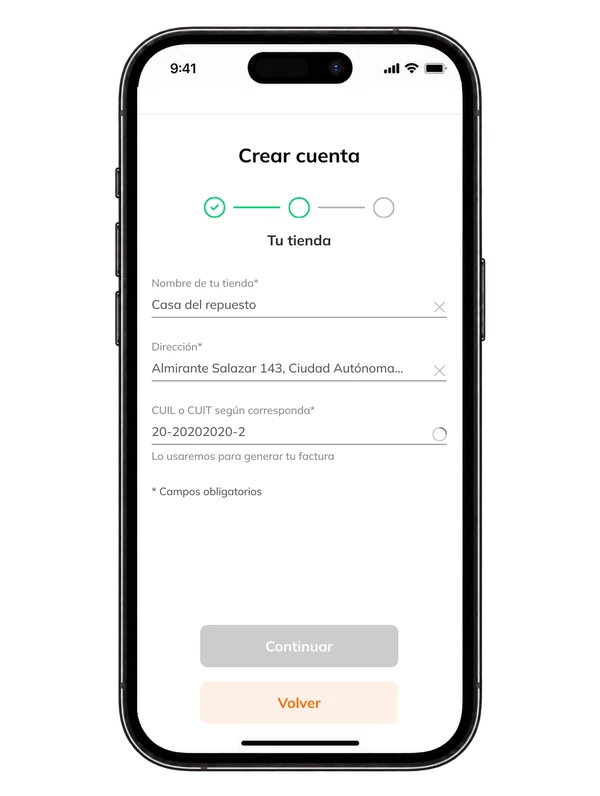
- 2. Your store: address and coverage are checked here, at step 2 instead of step 8.
- 3. Sales: at the end, the data the company needs to route the business to the right team based on its shipping volume.
I accepted a cost: the last step kept the platform selection and the shipping volume options. I would have simplified them if back-end changes had been in scope. I also left getting a shipping quote without creating an account for later.
Three steps that work on any screen
I used the existing design system components, without creating new ones, so the team could build it on time. These were the main decisions:
- The whole flow in a centered card. On a 14" laptop the buttons are always visible without zooming out, and the same card adapts to phones and tablets.
- A step indicator with names. "Your details", "Your store" and "Sales" replace a bar with no labels.
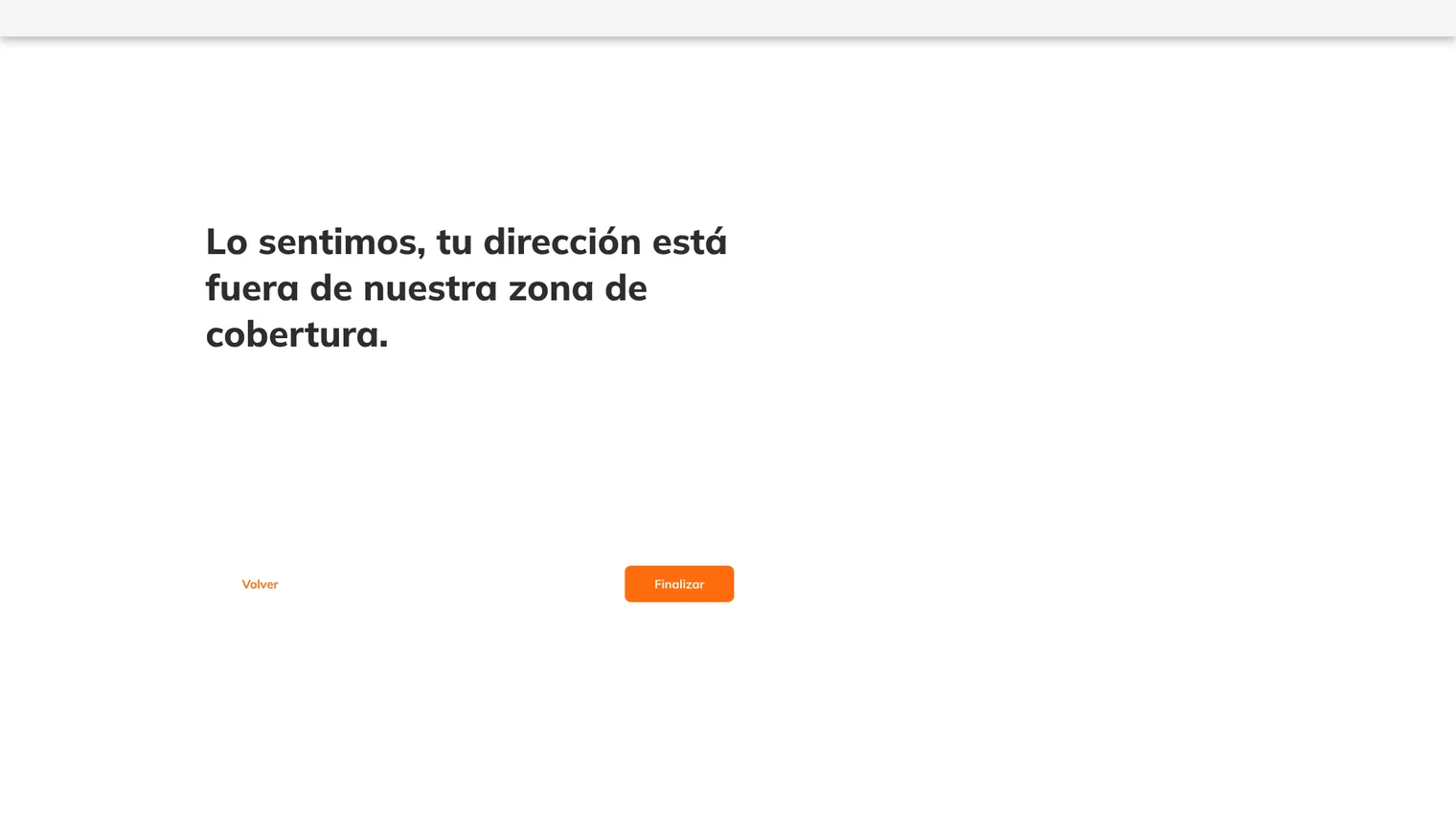
- Coverage at step 2. If the business is outside the area, it’s told the service is coming soon, and its contact info was already saved in step 1.
- Duplicate accounts caught early. If the email is already registered, the user is told and taken to log in, instead of filling out the whole form.
- Terms and conditions as a checkbox. They’re in the last step instead of taking up a separate screen.
What I adjusted before launch
QA and development tested the flow, and I validated it with 4 businesses I was in touch with. All four completed the sign-up without getting stuck. The main change was the final message. It said "You created your account, we’ll send you an email to finish the installation", a text inherited from the sign-up for online stores that integrate with their sales platform. Someone who sells on Instagram has nothing to install, so I changed it to "Account created successfully, we’ll send you an email with the ways to log in".